Genau RW100 Magnetic Rowing Machine
User Manual
Contents
Thank you for your purchase!
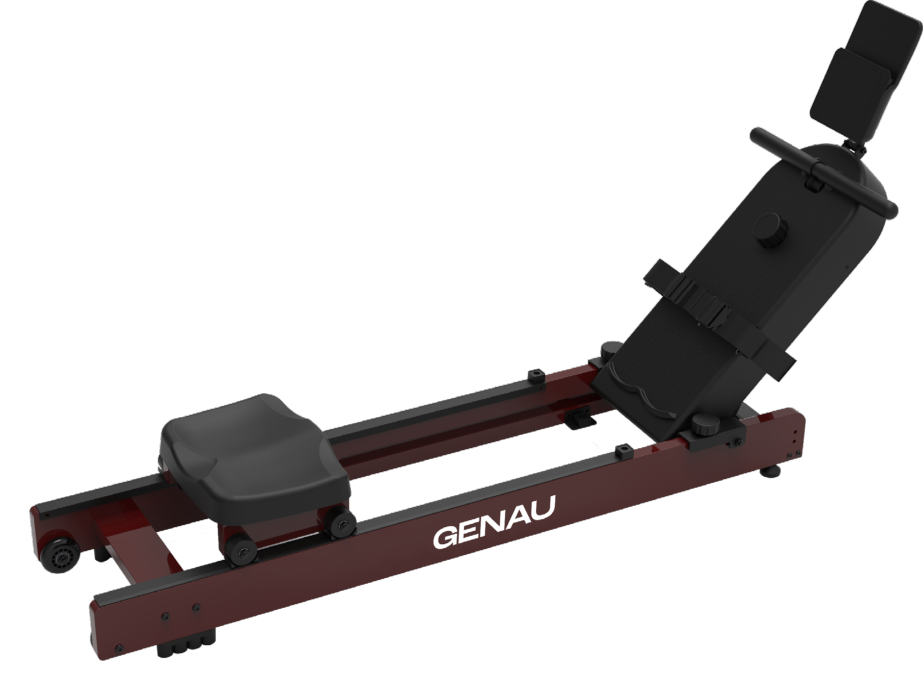
Thank you for choosing our product. Please use the equipment correctly to ensure your safety and health. Before you start using it, read the information below carefully.
Please read the instructions before installing and using the product.
Keep this user manual so that you always have the maintenance and adjustment instructions at hand.
Safety Instructions
- Read all the instructions carefully before assembling and using the machine. Only correct installation, maintenance and use ensure a safe and effective workout. All users must be familiar with the warnings and precautions.
- To avoid feeling unwell during exercise, consult a doctor before you start. This is especially important if the user takes medication that affects heart rhythm, blood pressure or cholesterol level.
- Monitor how you feel during exercise. Improper or excessive loads can harm your health. If you feel a headache, chest tightness, shortness of breath, dizziness, nausea or other symptoms, stop exercising immediately and resume only after consulting a doctor.
- Keep children and pets away from the machine. The device is intended for adults only.
- Place the machine on a flat, firm surface and put a protective mat under it to avoid damaging the floor. The distance to the nearest objects must be at least 0.5 m.
- Before use, make sure all bolts and nuts are securely tightened and fixed.
- Only simple repairs and maintenance are allowed. Damaged or worn parts may be replaced only by a qualified specialist.
- Use the equipment strictly according to the instructions. If you notice a breakdown, unusual noises or other faults, stop using it and fix the problem before resuming.
- Wear suitable sportswear. Do not wear loose or baggy clothing that may get caught in the mechanisms.
- The equipment complies with the EN957 standard.
- The machine is not a medical device.
- When moving the machine, take care not to injure your back. Use correct lifting and moving techniques and ask for help if needed.
Product Components
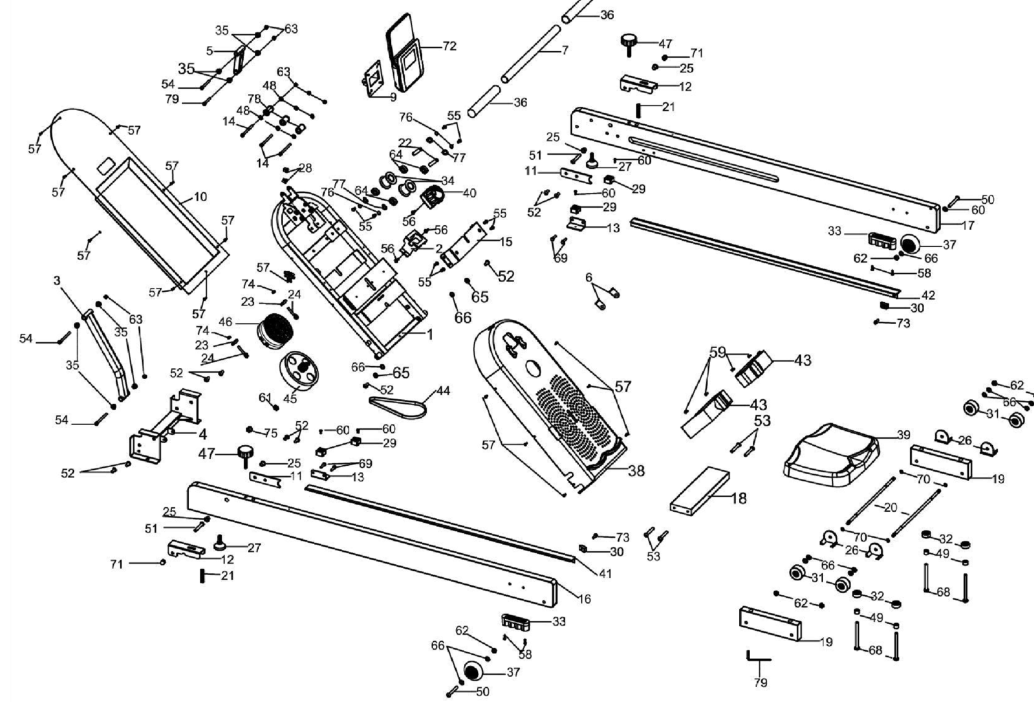
Spare parts list
| No. | Name | Specification | Quantity (pcs) |
|---|---|---|---|
| 1 | Main frame | 1 | |
| 2 | Tensioner set | 1 | |
| 3 | Connecting assembly | 1 | |
| 4 | Front connecting assembly | 1 | |
| 5 | Electronic clock tube | 1 | |
| 6 | Rigid reinforcement | 2 | |
| 7 | Handrail | 1 | |
| 8 | Small belt pulley | Φ26 × 40 | 3 |
| 9 | Electronic clock board (new) | 1 | |
| 10 | Rear panel | 1 | |
| 11 | Front and rear limiter plates | 2 | |
| 12 | Upper limiter plate | 2 | |
| 13 | Limiter support plate | 2 | |
| 14 | Flat head hex socket screw | M6×65×S5, thread 25 | 3 |
| 15 | Flywheel mounting plate 1 (coated) | 1 | |
| 16 | Left guide rail | 1400×100×25 mm | 1 |
| 17 | Right guide rail | 1400×100×25 mm | 1 |
| 18 | Rear connecting plate | 275×80×25 mm | 1 |
| 19 | Seat | 220×63×25 mm | 2 |
| 20 | Seat shaft | Φ8 × 363 | 2 |
| 21 | Compression spring | Φ10×50, wire diameter 0.8, N=15 | 2 |
| 22 | Belt pulley shaft | Φ10 × 40 | 2 |
| 23 | U-shaped limiter | 2 | |
| 24 | Locking bolt | M6 | 2 |
| 25 | Shaft bushing | size 16×12×12 | 4 |
| 26 | Roller support | 46×32.4×43.5 | 4 |
| 27 | Adjustment pedal | M8, thread 30 | 2 |
| 28 | Electrical connector | Φ14.5×6×12 | 2 |
| 29 | Limiter 3 | 25×25×14.5 | 4 |
| 30 | Seat limiter | 25×15×10 | 2 |
| 31 | Seat roller | Φ46×22 | 4 |
| 32 | Wheel | Φ28×11.5 | 4 |
| 33 | Support pedal | 100×25×25 | 2 |
| 34 | Small belt wheel | Φ45×35 | 2 |
| 35 | Shaft bushing | Φ16×6.2×11 | 8 |
| 36 | Protective PVC pad | 25 round tubes included | 2 |
| 37 | Polyurethane (PU) roller | Φ69 × 23.5 | 2 |
| 38 | Protective cover | 820 g | 1 |
| 39 | Cushion, hole | 320×260×52, 226×150 | 1 |
| 40 | Trim for 16 speeds – see drawing | length 250 mm | 1 |
| 41 | Left side panel | 30 × 17.5 × 1020 | 1 |
| 42 | Right side panel | 30 × 17.5 × 1020 | 1 |
| 43 | Hook-and-loop fastener (magnetic tape), wool part, hook part, Φ5 fasteners | width 40 mm, 305 mm, 245 mm | 2 |
| 44 | V-belt | 250PJ5 | 1 |
| 45 | Magnetron | Φ180 | 1 |
| 46 | Tensioning mechanism: nylon + bearing + belt + spiral shaft | 1 | |
| 47 | Knob (thumb screw) | M8×45 | 2 |
| 48 | Deep groove ball bearing | 606ZZ | 6 |
| 49 | PVC bushing 3 | Φ15 × 8.2 × 12 | 4 |
| 50 | Cylindrical head hex socket screw | M8×65×S5, partial thread | 2 |
| 51 | Flat round head hex socket screw | M8×40×S5, partial thread | 2 |
| 52 | Flat round head hex socket screw | M8×20×S5, full thread | 10 |
| 53 | Flat round head hex socket screw | M6×40×S4, full thread | 4 |
| 54 | Cylindrical head hex socket screw | M6×70, thin shank, thread 25 | 3 |
| 55 | Flat round head hex socket screw | M6×10×S4 | 8 |
| 56 | Flat round head hex socket screw | M5×10×S4 | 3 |
| 57 | Phillips pan head tapping screw | ST4.2 × 16 | 15 |
| 58 | Phillips pan head tapping screw | ST4.2 × 19 | 4 |
| 59 | Phillips pan head tapping screws | M4×10 | 4 |
| 60 | Phillips pan head tapping screws | M4×12 | 4 |
| 61 | Thin hex nut | M10 × 1.0 × 4 mm | 1 |
| 62 | Nylon nut | M8×H7.5×14 | 6 |
| 63 | Nylon nut | M6 | 7 |
| 64 | Deep groove ball bearing | 6000ZZ | 4 |
| 65 | Deep groove ball bearing | 608ZZ | 2 |
| 66 | Flat washer | D8 × Φ16 × 1.5 | 18 |
| 67 | Flat washer | D6 × Φ12 × 1.6 | 2 |
| 68 | Hex bolt | M8×110×20×S14 | 4 |
| 69 | Hex head wood screw | M6×25×S10 | 4 |
| 70 | Shaft retaining ring | D8 × 0.8 | 4 |
| 71 | Cap nut | M8×S14 | 2 |
| 72 | Electronic display | FY8326 | 1 |
| 73 | Bolt | Φ6×46 | 2 |
| 74 | Hex nut | M6 | 2 |
| 75 | Flange nut | M10 | 4 |
| 76 | Shaft retaining ring | D10 | 4 |
| 77 | Corrugated washer | Φ10, black zinc | 4 |
| 78 | Small pulley with strap | 3 | |
| 79 | Hex key with Phillips screwdriver | S5 | 1 |
Assembly
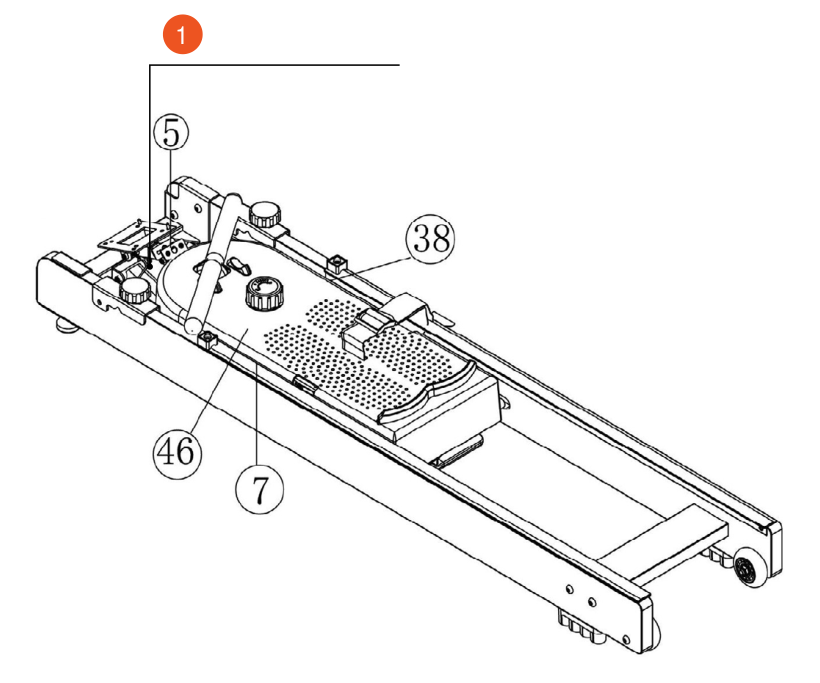
- Cable tie
Open the box, take out the spare parts listed above and place the main frame on a flat surface.
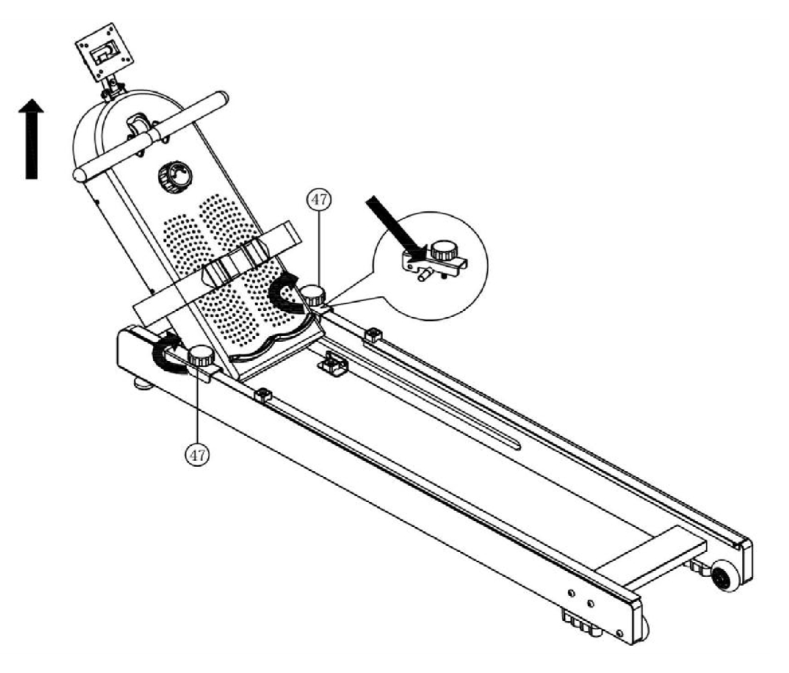
Loosen the left and right locks No. 47 (M8×45 knob), then hold the tube with the display, lift it up and pull it out all the way.
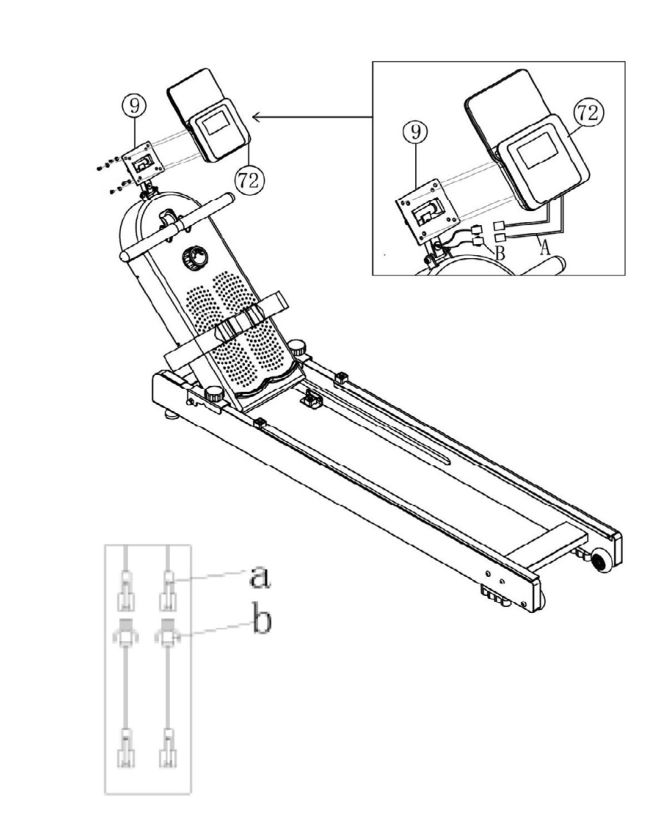
- Communication line A from part 72 (electronic display) and communication line B from part 9 (electronic board) are now connected.
- Part 72 (electronic display) comes with 4 screws. Mount it on part 9 (electronic board), align the holes and tighten the 4 screws. Adjust the tilt angle of the display as you like.
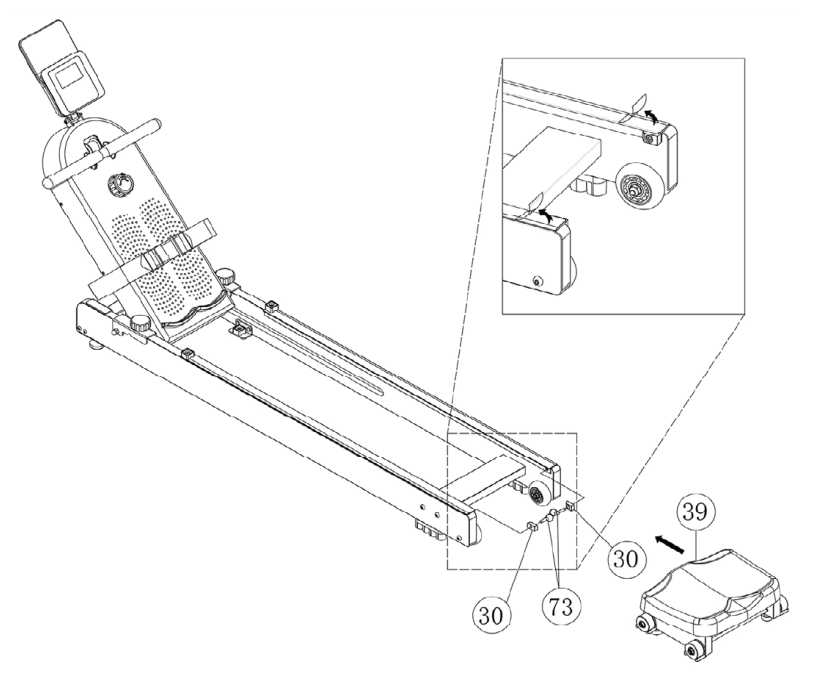
- First remove parts 30 (seat limiter) and 73 (ring hook pin) installed on the guide rail and set them aside for later use.
- Remove the protective film from the left and right guide rails. Then take part 39 (seat) and install it in the corresponding positions on the left and right guide rails as shown in the diagram.
- Align part 30 (seat limiter) with the corresponding holes on the left and right guide rails and secure it with part 73 (ring hook pin).
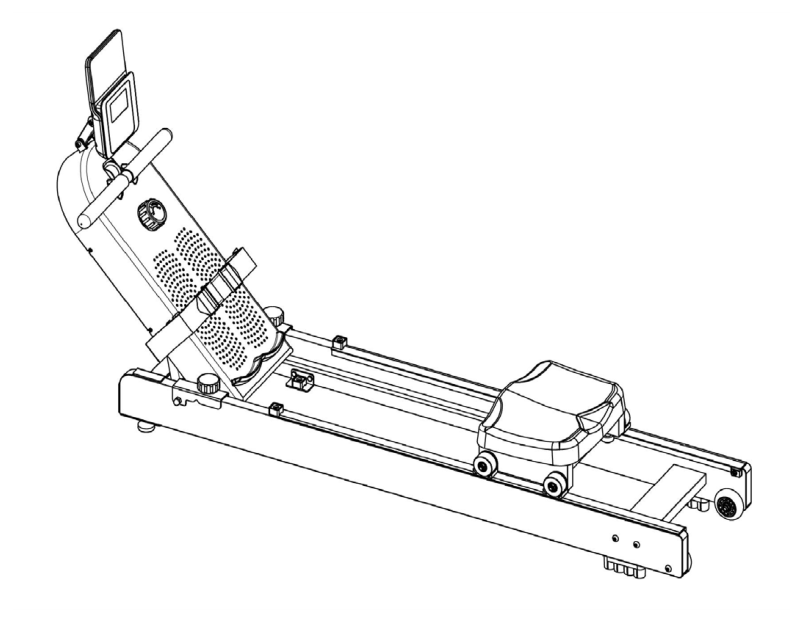
Make sure everything is installed securely. Assembly is complete.
Storage
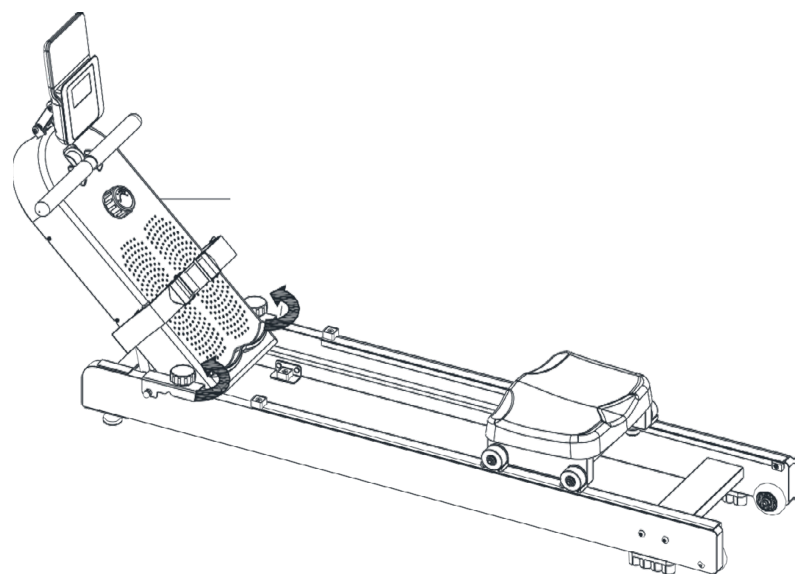
Unscrew the knob counterclockwise until the protective cover becomes movable.
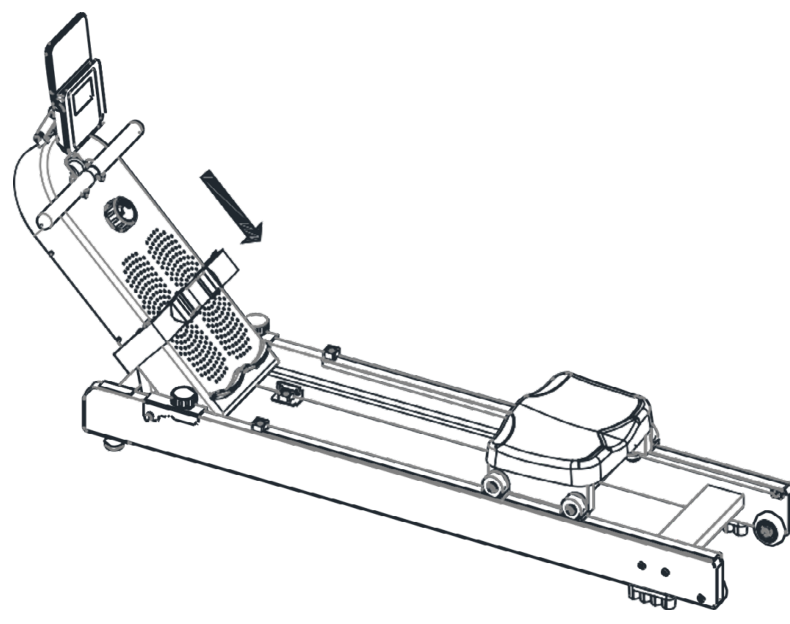
Slide the protective cover down.
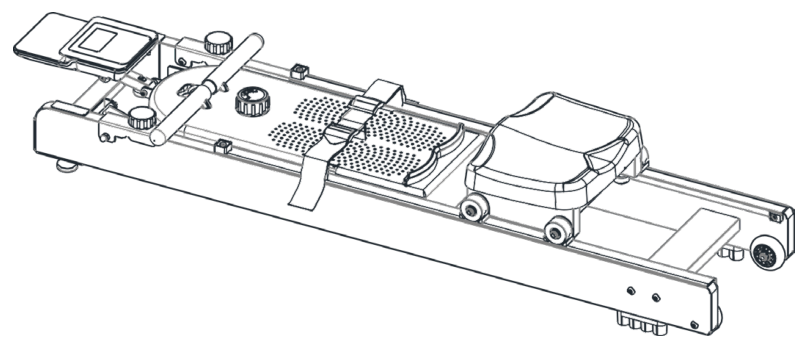
Storage is complete.
Workout technique
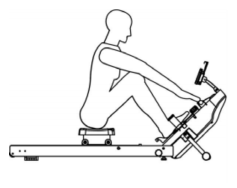
Starting position
Hold your arms straight in front of you, relax your shoulders, keep your head up and look forward. Keep your feet and shins pressed vertically.
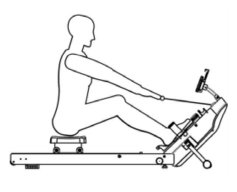
Sliding phase
Grip the handle with your hands and keep your body in the correct posture and at the proper angle. Slowly straighten your legs and pull forward.
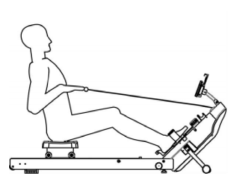
Finish position
Straighten your legs forward, pull the handle to your chest, relax your shoulders and look forward.
Workout Tips and Recommendations
Using this machine not only strengthens the body and develops muscles, but also helps you lose weight when combined with a sensible diet.
Warm-up before exercise
The warm-up phase helps improve blood circulation, prepare the muscles for exercise and reduce the risk of cramps or muscle strains during the workout. Before you start, it is recommended to do the exercises suggested below. Each stretching exercise should be performed for at least 30 seconds. Do not make sudden movements while doing them to avoid muscle damage. If you get injured, stop exercising immediately.
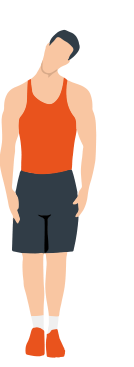
Head rolls
First tilt your head toward your right shoulder, stretch your neck and rotate your head once clockwise and once counterclockwise; then tilt your head toward your left shoulder and make one counterclockwise rotation. Repeat.
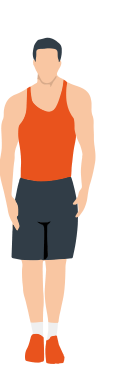
Shoulder lifts
Raise your left shoulder and make 5 backward rotations; then raise your right shoulder and make 5 backward rotations, alternating sides.
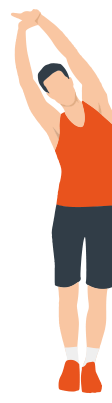
Side stretch
Raise your arms above your head, then grasp your right wrist with your left hand and reach upward until you feel your right arm fully stretched. Hold for 5 seconds before switching to the other arm.
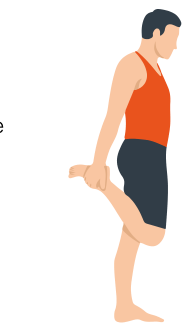
Quadriceps stretch
Holding onto a wall with your right hand for balance, pull your left foot back with your left hand, bringing the heel as close to your buttock as possible. Hold for 15 seconds, then repeat with the other leg.
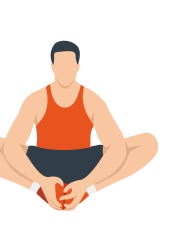
Inner thigh stretch
Sitting on the floor, put the soles of your feet together, clasp them with both hands and pull them in as close to your body as possible. Slowly press down on both heels and hold this position for 15 seconds.
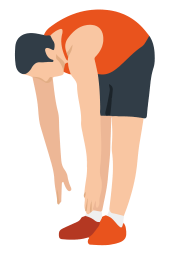
Toe touch
Slowly bend forward, relax your back and shoulders and reach for your toes. Bend as low as you can and hold the position for up to 15 seconds.
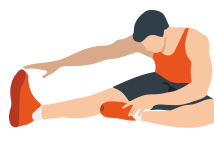
Hamstring stretch
Sit down, straighten your right leg, bend your left leg, grab your left ankle with your left hand and push it inward so that your left foot is as close to your torso as possible and the sole of the foot is against the inside of your right thigh. Then press forward with your body and reach both arms forward to touch your toes; the more pressure, the better. Hold this position for 15 seconds and switch to the left leg.
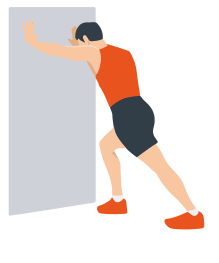
Calf stretch
Lean against a wall with both hands, tilt your body at a 45-degree angle to the floor and alternately move your left and right legs back, as if walking.
Workout phase
This is the full workout phase. After long regular practice you will be able to improve the flexibility of your leg muscles. During the workout it is important to keep a steady intensity that matches your fitness level. Choose a suitable load and keep your heart rate within the target zone shown on the chart below.
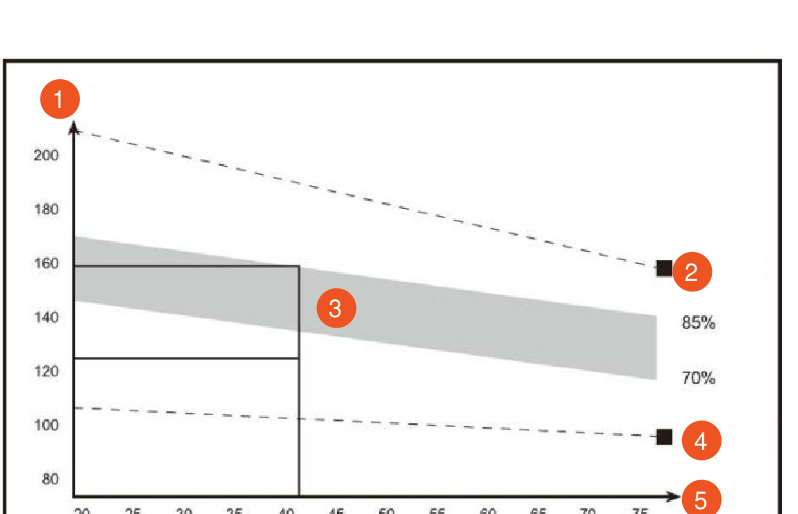
- HR
- Maximum
- Target zone
- Rest
- Age
To keep your pulse within the target range, exercise for at least 12 minutes. On average, users exercise for 15–20 minutes at the start of the training process.
Recovery phase after exercise
At this stage, repeat the exercises you did during the warm-up. You can slightly reduce the range and speed of movements for about 5 minutes. This helps the body cool down gradually and the muscles relax after the load.
Over time, as your body adapts to the load, you can gradually increase the duration and intensity of your workouts. It is recommended to exercise at least 3 times a week. If possible, record your progress every week.
Muscle strengthening
If you want to use this machine to strengthen your muscles, you need to increase the resistance during exercise. In this way, long workouts of high intensity can bring significant progress. To do this, first warm up, then move on to the main exercises. Gradually increase the load and resistance, especially in the final part of the workout. However, monitor your pulse and do not leave the target zone. Be sure to cool down after exercise.
Weight loss
The key factors for weight loss are the time and intensity of the workout. The higher the load and duration, the more calories are burned. This is how the weight-loss effect is achieved. At the same time, regular exercise improves physical fitness and appearance. During the process you can adjust the exercises to your goals and objectives.
Display
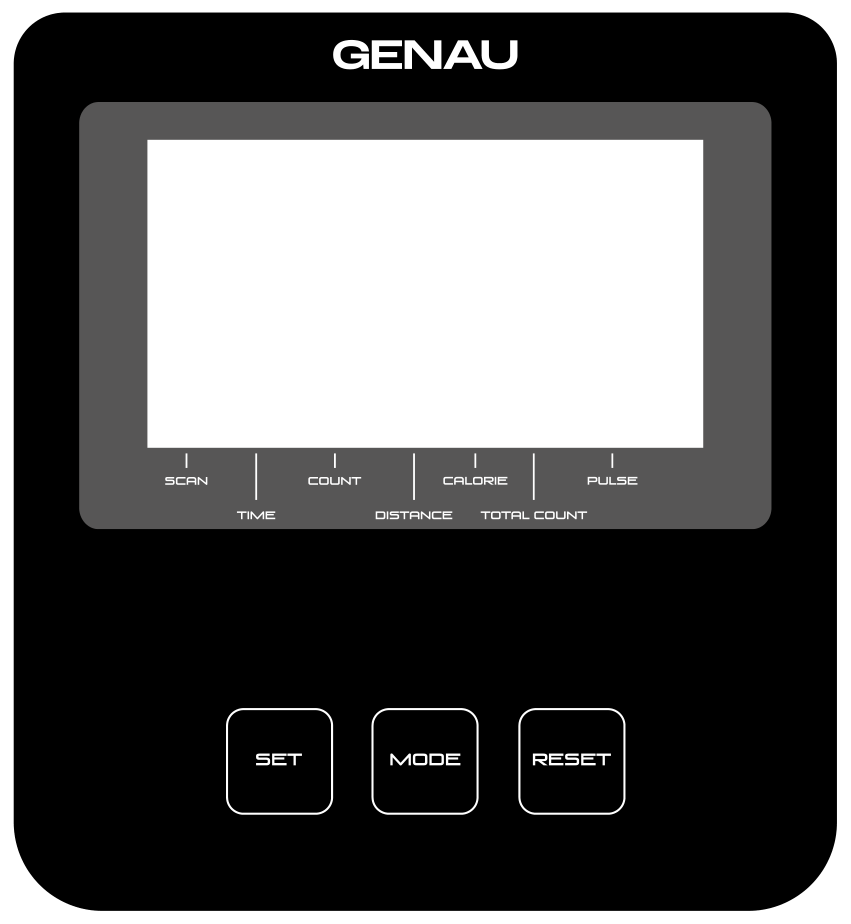
Control buttons
| Symbol | Function | Description |
|---|---|---|
| MODE | MODE | Selects the parameter to set or reset. |
| SET | SET | In setting mode, sets the value for the selected flashing window (time, distance, calories). |
| RESET | RESET | In setting mode, resets the countdown value, distance or calories. In normal mode, hold the RESET button for 3 seconds to zero all displayed values. |
Modes and functions
| Function | Description |
|---|---|
| Scan (SCAN) | In scan mode, the display cyclically shows time, calories, repetition count, distance and total repetitions. It updates every 4 seconds. |
| Repetition count (COUNT) | Shows the number of movements during the workout. Range: 0 to 9999 times. |
| Time (TMR) | Shows the total workout time from start to finish. Range: 0:00 to 99 minutes 59 seconds. |
| Distance (DST) | Shows the total distance covered during the workout. Range: 0.00 to 999.9 km. |
| Calories (CAL) | Shows the number of calories burned. Range: 0.0 to 999.9 kcal. |
| Total movement count (TCNT) | Shows the total number of repetitions recorded during the entire time of battery operation. |
Automatic shut-off
If the device remains inactive (no button presses and no movement) for 4 minutes, it switches off automatically and resets to zero. When you resume exercising, the display turns on automatically.
Setting values
Press the MODE button to select the window to set. The value will flash — press SET to set the desired value. To reset, press and hold RESET.
Pulse rate (if available)
If the device supports wireless pulse measurement, use it according to the instructions. For correct operation, make sure a suitable sensor is used.
Warranty
Genau guarantees the high quality and reliability of its products. We strive to offer only the best, which is why all of our equipment comes with a warranty.
Warranty Terms
- The warranty period starts from the date of sale.
- The warranty covers defects caused by manufacturing faults or defective materials.
- Warranty service is carried out at authorized service centers.
- If the product breaks down during the warranty period, the customer must bring this warranty card and the complete product to a service center for diagnostics and repair.
- If the warranty claim is confirmed, the product will be repaired or replaced free of charge.
- The warranty does not cover the following cases:
- mechanical damage caused by improper use or transportation;
- damage caused by liquids, fire, chemicals or other external factors;
- failures caused by not following the operating instructions;
- modifications to the design or repairs carried out by unauthorized persons without the approval of the Service;
- consumables and components with a limited service life (belts, batteries, etc.).
Warranty claims
To receive warranty service, the customer should contact the seller (the place where the equipment was purchased).
Specifications
Manufacturer: Shanxi Yeekang Fitness Products Co.,LTD, Room G, 15/F, Tower A, KING OFFICE Building, No.9 FUXI Street, 030002, Taiyuan, Shanxi, China.
Service
For questions about assembly, operation and warranty, please contact Genau service in Kyrgyzstan.
Genau GmbH LLC (ОсОО «Генау ГМБХ»), Kyrgyzstan. Phone: +996 778 639 000