Genau S1 Deluxe Mini Stepper
User Manual
Contents
Thank you for your purchase!
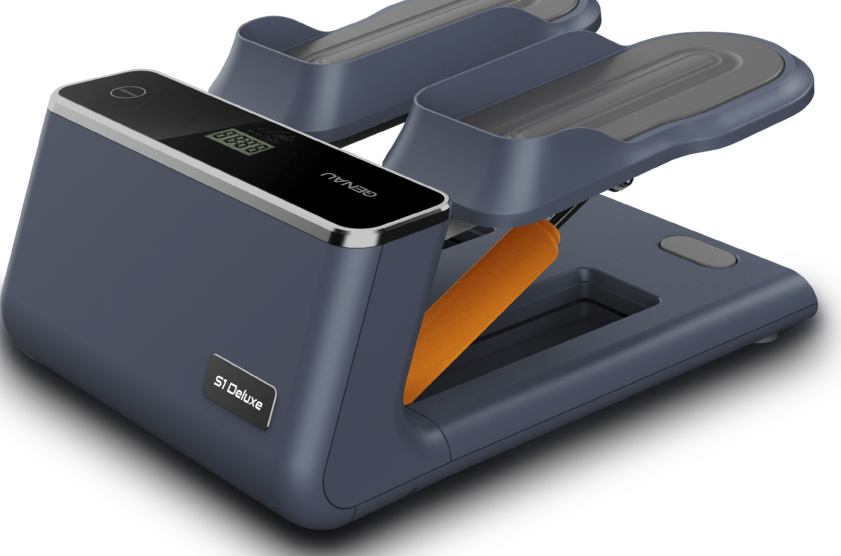
You have just purchased a product designed with quality, safety and functionality in mind. This equipment allows you to exercise safely and comfortably without leaving home. Regular exercise is one of the best ways to stay healthy. Please read this manual carefully before use, especially the safety section, so that you use this device correctly and can enjoy the unique experience of this exclusive product.
Read all instructions before use and keep this manual for future reference.
Safety Instructions
For your safety, read all the information in this manual carefully.
- Before starting any exercise, consult a doctor or a fitness trainer. This is important for people of all ages and for those who already have health problems.
- If during exercise you feel pain or tightness in the chest, irregular heartbeat, shortness of breath or discomfort, stop and consult a doctor before continuing.
- Only one person at a time should use this machine.
- Keep children and pets away from the equipment.
- Do not use this device for any purpose other than performing the exercises shown in the manual.
- Caution: excessive or incorrect physical exertion may cause injury.
- It is not recommended to exercise right after eating. Wait at least 1 hour before starting.
- People with limited physical / sensory / mental abilities, and people with little experience or knowledge, are recommended to be accompanied by a safety trainer during exercise.
- The owner is responsible for ensuring that all users of the equipment are properly informed of the precautions.
- This device is intended for household, indoor use only and is not intended for therapeutic use.
- For your safety, make sure that all parts are correctly assembled, that the machine stands on a firm, level surface, that there are no obstacles around it, and that it is in good working order before each use.
- Wear suitable exercise clothing and avoid clothing or accessories that may catch on the equipment.
- For the safety of children and/or pets, do not let them play on or near the machine.
- Always wear sneakers for exercise; do not exercise barefoot or in sandals.
General storage and cleaning recommendations
- Never use abrasive substances or solvents to clean the equipment;
- Do not leave the equipment exposed to natural elements such as sunlight, rain, dew, dust, salt fog, etc.;
- Do not place the equipment in dusty or damp rooms, saunas or any unventilated places.
Package contents and description of product components
When you open the box you will find the following parts:
- Pedal unit (QTY: 1)
- User manual (QTY: 1)
- Elastic cord (QTY: 2)
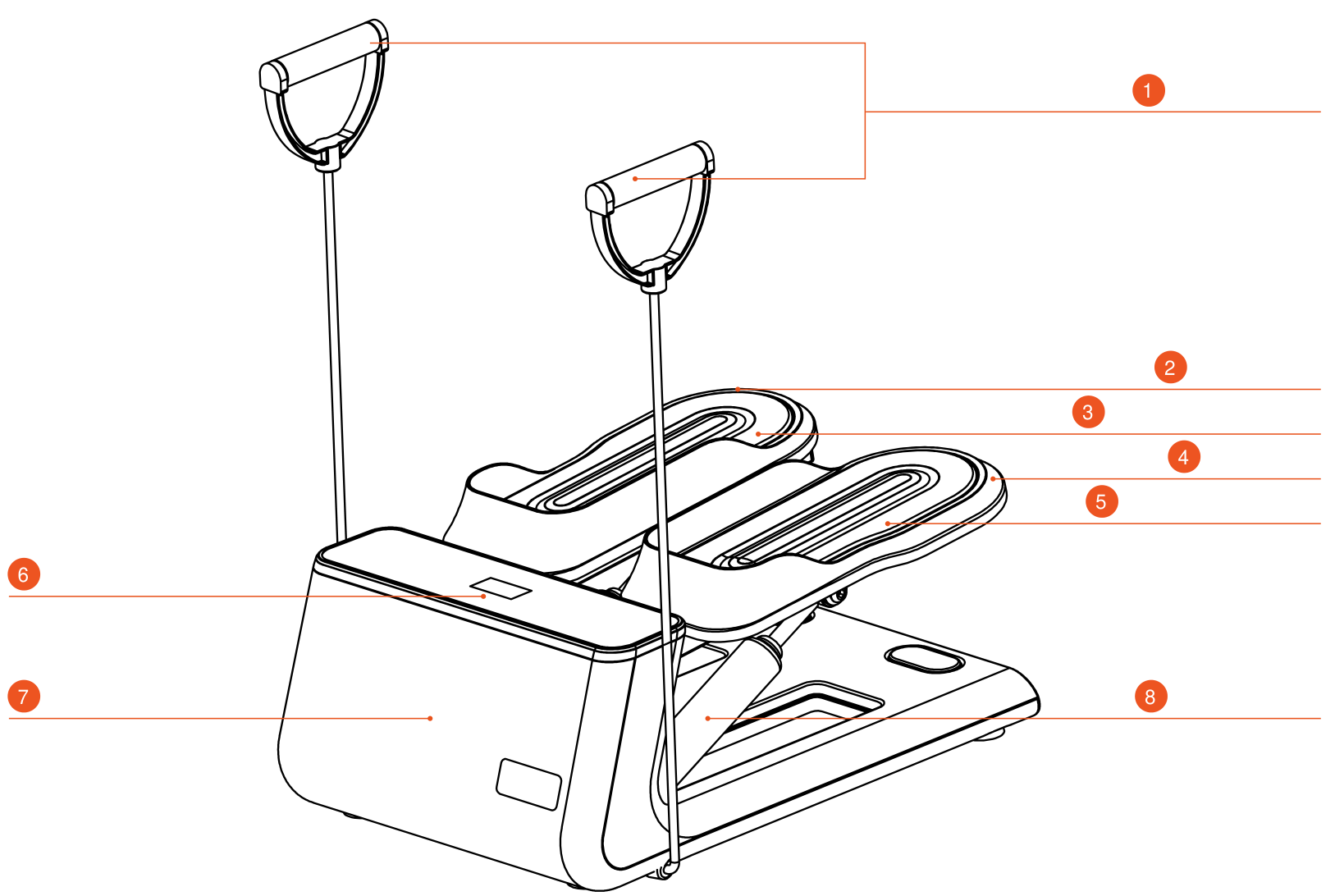
- Elastic cord
- Right pedal
- Right soft pedal
- Left pedal
- Left soft pedal
- Control Panel
- Main structure
- Oil buffer
Assembly
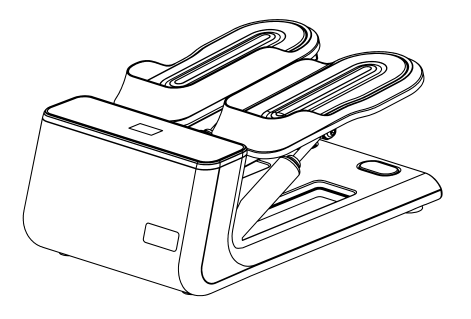
After opening the box, take out the product
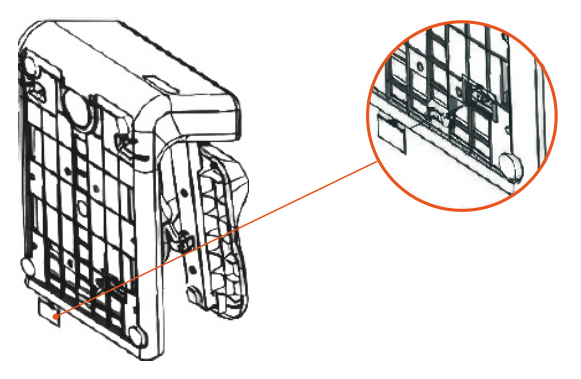
Insert the batteries
- Remove the battery compartment cover on the inner side of the frame and insert 2 AAA batteries.
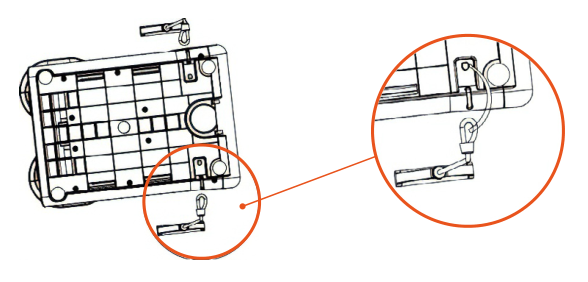
Attach the elastic cord
- Place the machine on its side
- Insert the hook into the product as shown in the picture:
Control Panel
| Function | Range |
|---|---|
| Time / Time | 00:00—99:59 (minutes: seconds) |
| Calorie / Calories | 0—999 kcal |
| Count / Count | 0—9999 |
| Reps / min / Reps / min | 0—9999 |
| Total count / Total count | 0—9999 |
Function specifications
| Function | Description |
|---|---|
| MODE (SELECT/RESET) | This button lets you select and lock the function you want. |
| AUTO ON/OFF | The system turns on when any key is pressed or when a signal comes from the speed sensor. The system turns off automatically when a signal arrives at the speed sensor input or when no key is pressed for about 4 minutes. |
| RESET | The device can be reset by replacing the battery or by pressing the MODE button for 3 seconds. |
| MODE | To select SCAN or LOCK if you do not need the scan mode, press the MODE button when the indicator at the function you need starts to flash. |
| TIME | Press the MODE button until the indicator locks on TIME. When the exercise starts, the total elapsed time will be shown. |
| COUNT | Press the MODE button until the indicator locks on COUNT. Automatically counts the number of repetitions from the start of the workout. |
| CALORIE | Press the MODE button until the indicator locks on CALORIE. During exercise, the number of calories burned will be displayed. |
| TOTAL COUNT (if available) | Press the MODE button until the indicator locks on TOTAL COUNT. Automatically accumulates the number of repetitions from the start of the sessions. |
| REPS/MIN (if available) | Press the MODE button until the indicator locks on REPS/MIN. Shows the current speed during the exercise time. |
| SCAN | The display changes automatically every 4 seconds. |
| BATTERY | If the monitor shows an incorrect picture, please reinstall the batteries to get a good result. |
Cleaning and maintenance
The safety and integrity of the equipment can only be ensured by regularly inspecting it for damage and wear. The user/owner is fully responsible for ensuring regular maintenance.
Special attention should be paid to the following:
- Periodically wipe the pedals and the main body with a damp cloth, paying attention to wheel marks. This will help reduce noise.
- Pay special attention to how tightly the pedals are screwed to the main body. Tighten them regularly with a screwdriver. Loose pedals will slowly unscrew, make noise and create a risk of damage and injury.
- Do not subject the equipment to strong impacts or handle it with excessive force. Do not try to disassemble or modify it.
- Use the equipment indoors on a level surface. Keep it away from moisture and dust.
- Do not expose the equipment to extremely high or low temperatures.
- Do not leave the equipment in direct sunlight for a long period of time.
- Do not use cleaning agents or solvents to clean the equipment.
- Do not use lubricants. They may damage the product.
Health recommendations
Before starting any exercise, consult a doctor or a fitness trainer. They will help you determine the frequency, intensity and duration of exercise appropriate to your age and fitness level. If during exercise you feel pain or tightness in the chest, irregular heartbeat, shortness of breath, fainting or any discomfort, STOP IMMEDIATELY! Consult a doctor before continuing.
This is important for people of any age or those with any ongoing health problems.
- This equipment was designed for use in residential premises only and is not intended for therapeutic purposes.
- It is not recommended to exercise right after eating. Wait at least 1 hour before starting a workout.
- People with limited physical / sensory / mental abilities, and people with little experience or knowledge, are recommended to be accompanied by a safety trainer during physical exercise.
Warm-up
To prevent injury and achieve the best results, we recommend starting every workout with a warm-up.
We suggest doing the following exercises as shown. Each exercise for at least 30 seconds.
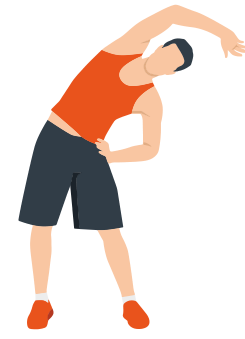
Side bends
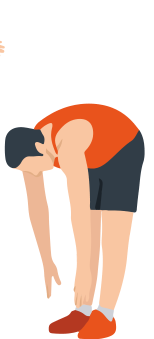
Forward bend
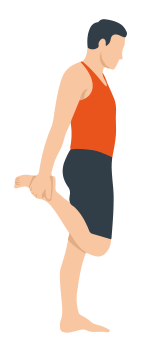
Quadriceps
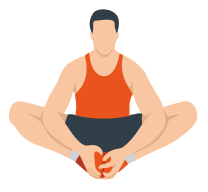
Inner thigh stretch
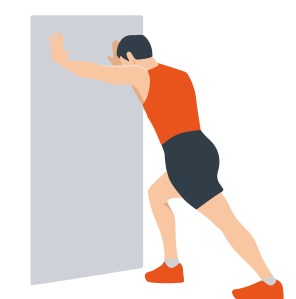
Achilles tendon
Warranty
Genau guarantees the high quality and reliability of its products. We strive to offer only the best, which is why all of our equipment comes with a warranty.
Warranty Terms
- The warranty period starts from the date of sale.
- The warranty covers defects caused by manufacturing faults or defective materials.
- Warranty service is carried out at authorized service centers.
- If the product breaks down during the warranty period, the customer must bring this warranty card and the complete product to a service center for diagnostics and repair.
- If the warranty claim is confirmed, the product will be repaired or replaced free of charge.
- The warranty does not cover the following cases:
- mechanical damage caused by improper use or transportation;
- damage caused by liquids, fire, chemicals or other external factors;
- failures caused by not following the operating instructions;
- modifications to the design or repairs carried out by unauthorized persons without the approval of the Service;
- consumables and components with a limited service life (belts, batteries, etc.).
Warranty claims
To receive warranty service, the customer should contact the seller (the place where the equipment was purchased).
Specifications
Manufacturer: NINGBO KINGLINE FITNESS EQUIPMENT CO.,LTD, NO. 9, SIMEN SECTION, YAOBEI AVENUE, YUYAO CITY, NINGBO CITY, ZHEJIANG PROVINCE.
Service
For questions about assembly, operation and warranty, please contact Genau service in Kyrgyzstan.
Genau GmbH LLC (ОсОО «Генау ГМБХ»), Kyrgyzstan. Phone: +996 778 639 000